NineSmart Booking System: from a single-purpose room-reservation module to a flexible booking platform.
Challenge
The original Booking System was designed specifically for room reservations using a tree structure for categorization.
The original category tree, and the room booking page it powered.
Items followed a hierarchical structure:
This structure limited the module to room reservations only.
Approach
Making Sense of an Undocumented Legacy System
The system had evolved over time with many functions and data flows left unclear or undocumented. I started by reviewing what legacy documentation existed and tracing how each feature connected to the underlying reservation, availability, and scheduling logic, to build a foundational understanding before touching anything.
Auditing the legacy system: every existing screen and feature, reviewed and annotated one by one.
From there, I reverse-engineered a detailed service flow diagram, mapping every step from login to booking confirmation, to surface unclear decision points, redundant logic, and opportunities to simplify the user journey. That diagram became the shared reference for design, PM, and engineering.
Reverse-engineered service flow, from login through to booking confirmation.
Mapping the Real User Journey
I built a user journey map covering the full booking process, from initial search through order checkout to post-booking review, structured into three phases: Searching, Ordering, and Post-Booking Review. Mapping it end to end surfaced three recurring pain points: inconsistent approval logic, unclear error feedback, and confusing booking types.
I also defined two user scenarios to design against:
- Goal-oriented users know exactly what they need: booking a specific meeting room with specific time, location, and features. They succeed when labeling is clear, availability is visible at a glance, and search/filter actually narrows things down.
- Exploratory users don’t have a fixed target: they’re browsing for an event or class without specific preferences. For them, the old hierarchical structure was actively hostile: they’d repeatedly backtrack between groups just to compare options, which became genuinely frustrating once the catalog scaled past 50+ items.
User journey map across the three phases: Searching, Ordering, and Post-Booking Review.
Scoping the Redesign
I created a color-coded, functional site map spanning both user-facing features and backend admin tools, to align PMs and developers on exactly what would change.
Scoping the admin configuration flow: booking config settings for time, price, policy, and notifications, mapped end to end.
Solution
The redesign needed to flex across office spaces, hotel rooms, events, and classes, not just rooms.
One system instead of four: office spaces, hotel rooms, events, and classes.
I replaced the rigid hierarchy with two mechanisms designed to work together, so a user can quickly narrow down options to the one they actually want.
The two mechanisms: Double Layer Filtering and Tag Base Grouping.
Feature 1 | Dual-layer filter
Smart Navigation
Time-based filtering (location, date, time range) narrows the catalog immediately, so users reach a bookable option in as few steps as possible.
Flexible Adjustment
Tag-based refinement layers on top, so clients can add, remove, or edit tags themselves through the backend, without needing engineering involved.
1st Layer Filter
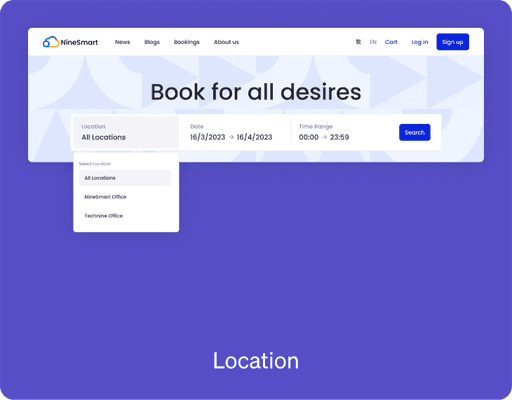
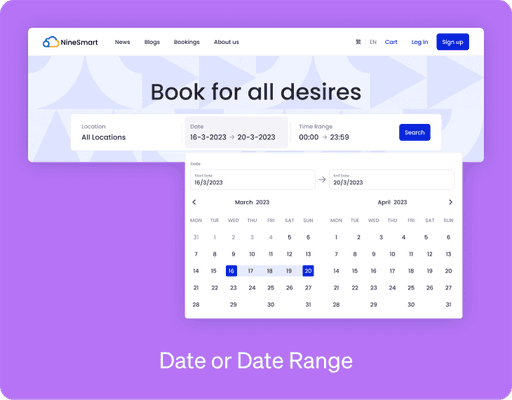
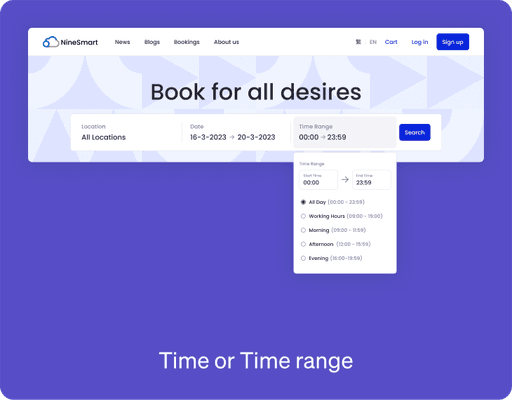
The first layer includes three types of filters: Location, Date/Date Range, and Time/Time Range.
This recommended filtering system allows time-based filtering that can be applied to any time-sensitive product items, such as venue bookings, course reservations, and seasonal ticket purchases.
2nd Layer Filter
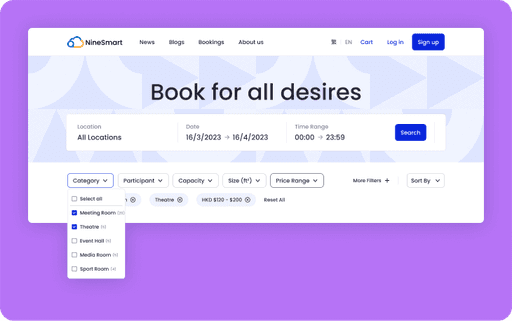
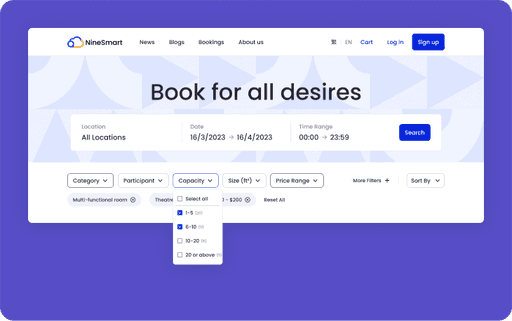
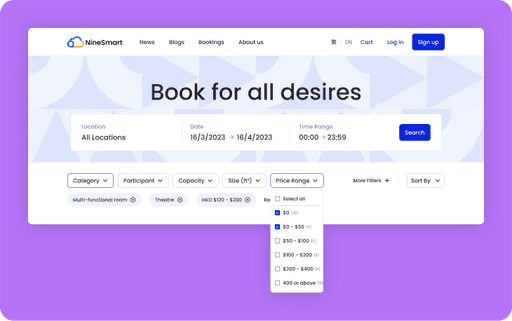
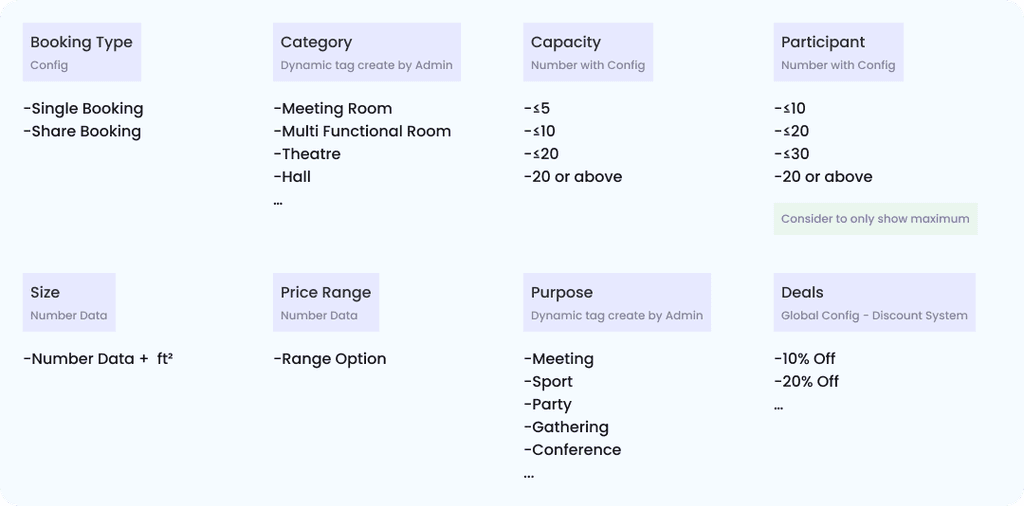
The full set of second-layer tags, each configurable by admins without engineering involved.
Feature 2 | Tag base grouping
We implemented a tag-based system to manage and filter numerous items, replacing the hierarchical structure entirely: items can now carry multiple tags.
Enhanced Flexibility
Items can be categorized multiple ways at once, breaking free from rigid hierarchical constraints.
Improved Searchability
Users filter and find items more efficiently using multiple tag combinations.
Scalability
Admins add, remove, or edit tags at any time, without requiring structural changes.
Unlike the previous layered structure that restricted items to a single category, the tag-based grouping system lets items belong to multiple categories simultaneously — a meeting room can be tagged as both a multi-functional room and a lecture room.
Outcome
Help company gained 3 new clients, and adapted the model to 4 products.
The redesign handled room bookings, membership redemptions, and class registrations in one flexible system, exceeding sales targets and broadening the client base. The booking module was adapted into a venue booking platform for an NGO and a luxury clubhouse in Hong Kong, and a membership redemption system for a Web3.0 game project. It was later combined with other modules and deployed across websites, mobile apps, tablets, and kiosks, ultimately selling to a large real estate developer in Hong Kong, successfully attracting three new clients.
Rethinking a fundamental structure (replacing a fixed hierarchy with a flexible filter-and-tag system) turned out to remove a business constraint, not just a UX one.
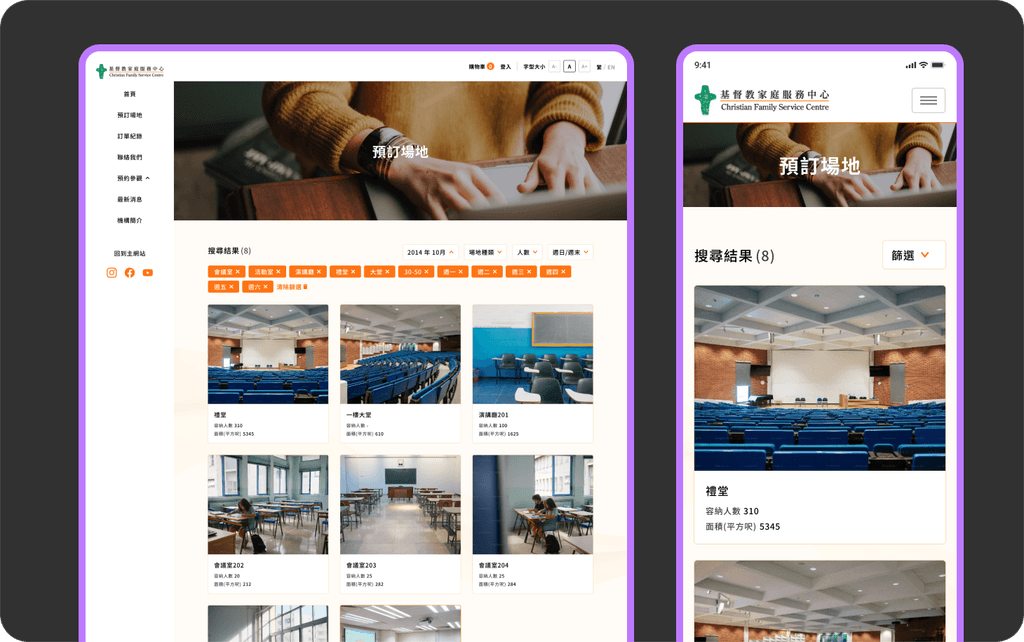
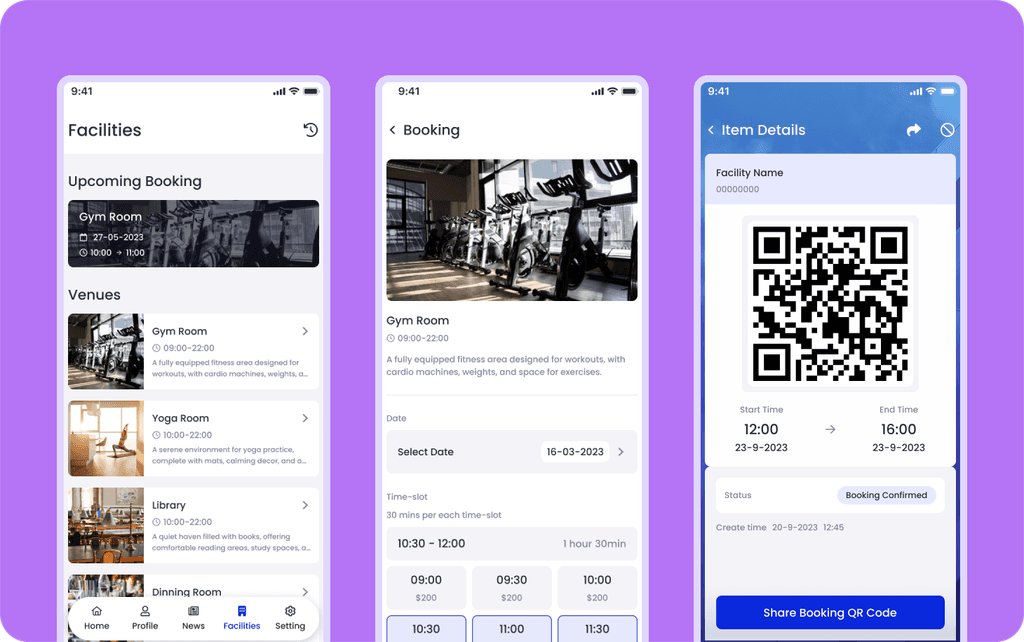
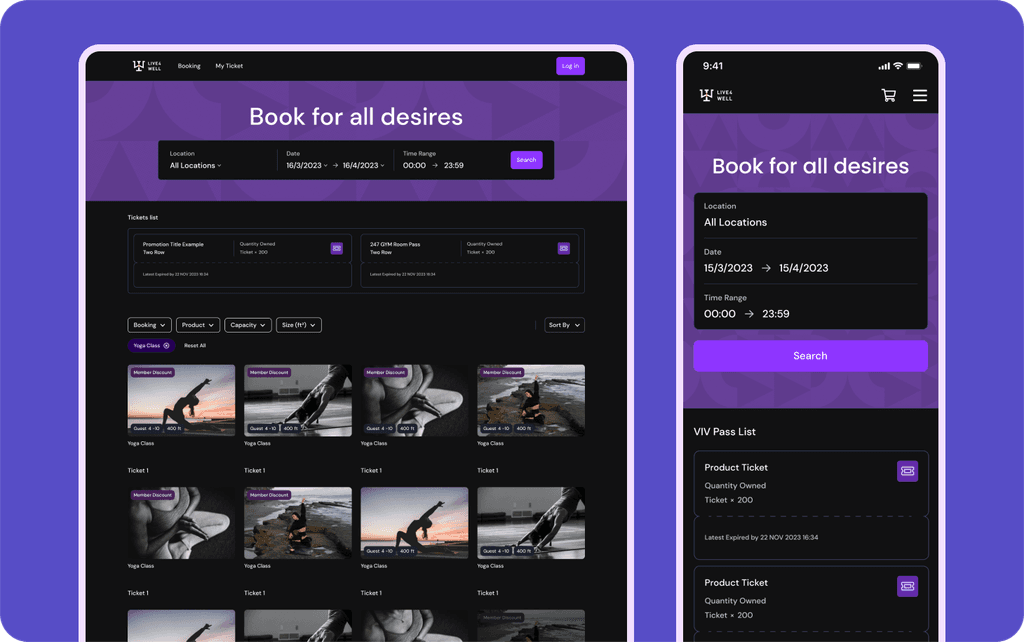
The same system reused as a venue booking platform, a luxury clubhouse module, and a Web3.0 membership redemption flow.